Client Side Rendering & Server Side Rendering
Rendering
Rendering is referred to the process of conversion of code (html, css and js) to a visual interface which users can interact with.
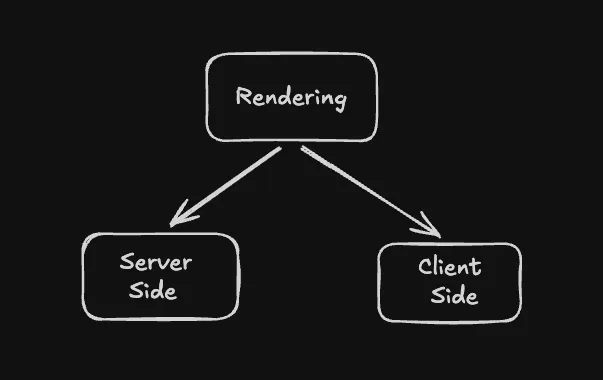
When we want to render a website for user we commonly have 2 different ways to do so -
- Client Side Rendering
- Server Side Rendering
Server Side Rendering
As the name suggests the server does the heavy lifting. Server sends a fully formed html document containing all data including styling css etc to the browser.
When a user visit the website, the server collects all the data for the page, forms the html page with all the content that need to be shown to the user. The browser receives this html document and serves it to user as is without needing to make any changes.
A lot of web frameworks like Django give developers option to use template, these templates are essentially what get filled with the required data and is send as whole.
Flowchart
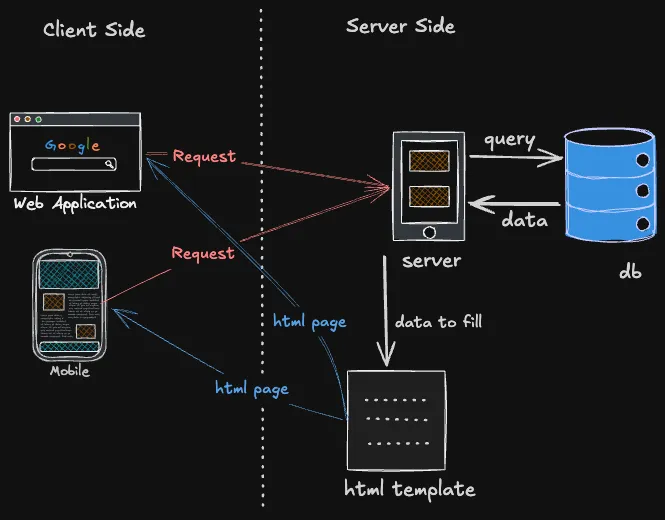
- Client (web application or mobile browser) makes request to server
- Server receive the request and gather all the required data
- Data is then used to fill up the html template
- The processed html page is then sent to the client
Advantages
- SEO friendly - Since whole content is already loaded it helps browsers to know what exactly the webpage contain and this helps the webpage to get priority in searches and improve SEO score.
- Reduce client overhead When running website on a mobile or devices which have limited battery, server side rendering saves processing on the device browser hence reduce power consumption on phone.
- Security Since all the db query and api calls are done internally in the server, it makes the website more secure since no api is exposed.
Disadvantages
- Server Cost since the processing is done on the server, more compute is used therefore increases the server cost
- Slow navigation as for any single change the whole webpage is requested back from the server, it usually slower
- Difficult to cache for a dynamic page like profile where fields like name, username is different for every user, caching it become difficult.
What is it good for?
- Static sites like portfolios or landing pages for companies.
- Online store since they need high seo score
How to check in real world scenario
- Open network tool in browser developer console
- Visit www.amazon.in
- Check the very first request

- Open the 1st request and check response, you’ll find a completely loaded html with all the component present with around 4-5k lines of file
Client Side Rendering
In CSR, the server is not responsible for sending a pre processed html page to the browser, instead it send a minimal html file (with a root element) and js scripts bundle, which when reaches the browser, the browser have to run the scripts and load the element of html page dynamically.
Modern day frontend frameworks like React are essentially used to create these website. It involves dynamically loading and replacing the required elements using DOM manipulation. The data is fetched using external api calls to server to get the required data to render an element.
Flowchart
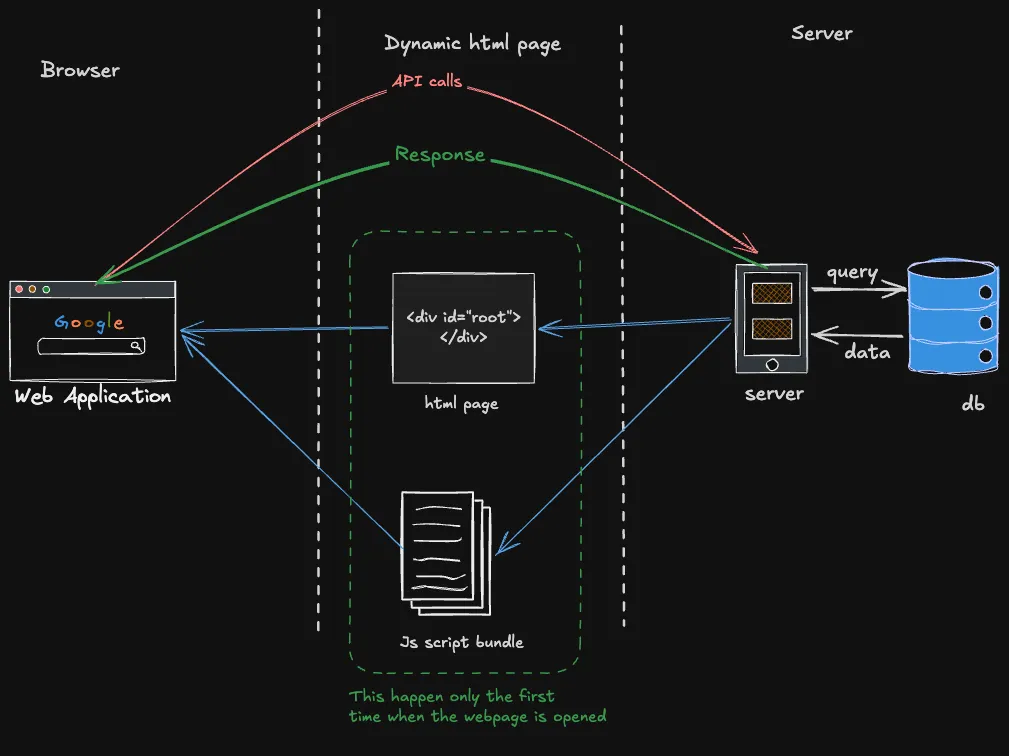
- Client (browser) request for the webpage
- Server send a minimal html with a
<div id="root">and relevant scripts - browser processed the js file and renders the webpage by replacing the root div with required components
- To get the data for the components browser make api calls to the server
- server send the relevant data to be rendered on the webpage
Advantages
- Fast and responsive After the initial script loading the website is fluid and responsive as it just update the required components instead of reloading the whole page
- Reduce server load Since server now don’t have any preprocessing to do and it just sends a initial build files and a minimal html and the heavy lifting is done by the browser to render so it save up in cpu compute
- Easier to cache since it just a static html, css and js, it can be easily put on a CDN for faster responses
Disadvantage
- Poor SEO As the initial html page just contains a root div, so the browsers doesn’t really know what’s exactly is being served hence seo is poor
- Initial loading time As the browser need to load the build for the initial visit, there is a delay in loading of webpage which can be much longer if on a slow network
What is it good for
- Dynamic website like excalidraw.io or a social media application with a lot of moving components
- For website which depends on showing real time data, like live score or stock trading website
How to check in real world scenario
- Open network tool in browser developer console
- Visit https://excalidraw.com/
- Check the very first request

- Open the 1st request and check response, you’ll find root div component

- Move some component then check through the dev console and find that the root div has been replaced